
Get your whole sales floor on Facebook Marketplace.
Your reps are already on Marketplace. You just can't see it. Listr turns the cars on your website into ads on each salesperson's own profile, keeps every ad current, and shows you all of it on one store dashboard.
Every rep's Marketplace ads, kept current, on one store dashboard.
“Man I sold one today already!!! Oldest car in inventory!!!”
Sample Motors · todayLive
2021 Ram 1500 sold, ad still upRemove
- Each rep posts from their own Facebook
- No passwords to collect
- One bill for the store
Why Marketplace goes wrong for most stores.
Your reps already post on Marketplace. The trouble is everything after the first post.
- You can't see who's postingSome reps post every day. Some never start. From the desk there's no way to tell which cars are up and which ones nobody posted.
- Ads go staleThe website price changes but the ad still shows the old one. A sold car stays up, and buyers message about a car that's gone.
- Every rep does it their own wayDifferent photos, prices and descriptions, and nobody checks the ads against the website.
Your whole store's Marketplace on one screen.
Every rep posts from their own Facebook. You see all of it, from your phone or your desk: what's live, sold cars still up, and cars nobody has posted yet.
- Live ads, sold-still-up and unposted cars, by rep
- Your oldest units, and whether anyone has posted them
- No more asking reps for screenshots of what's live
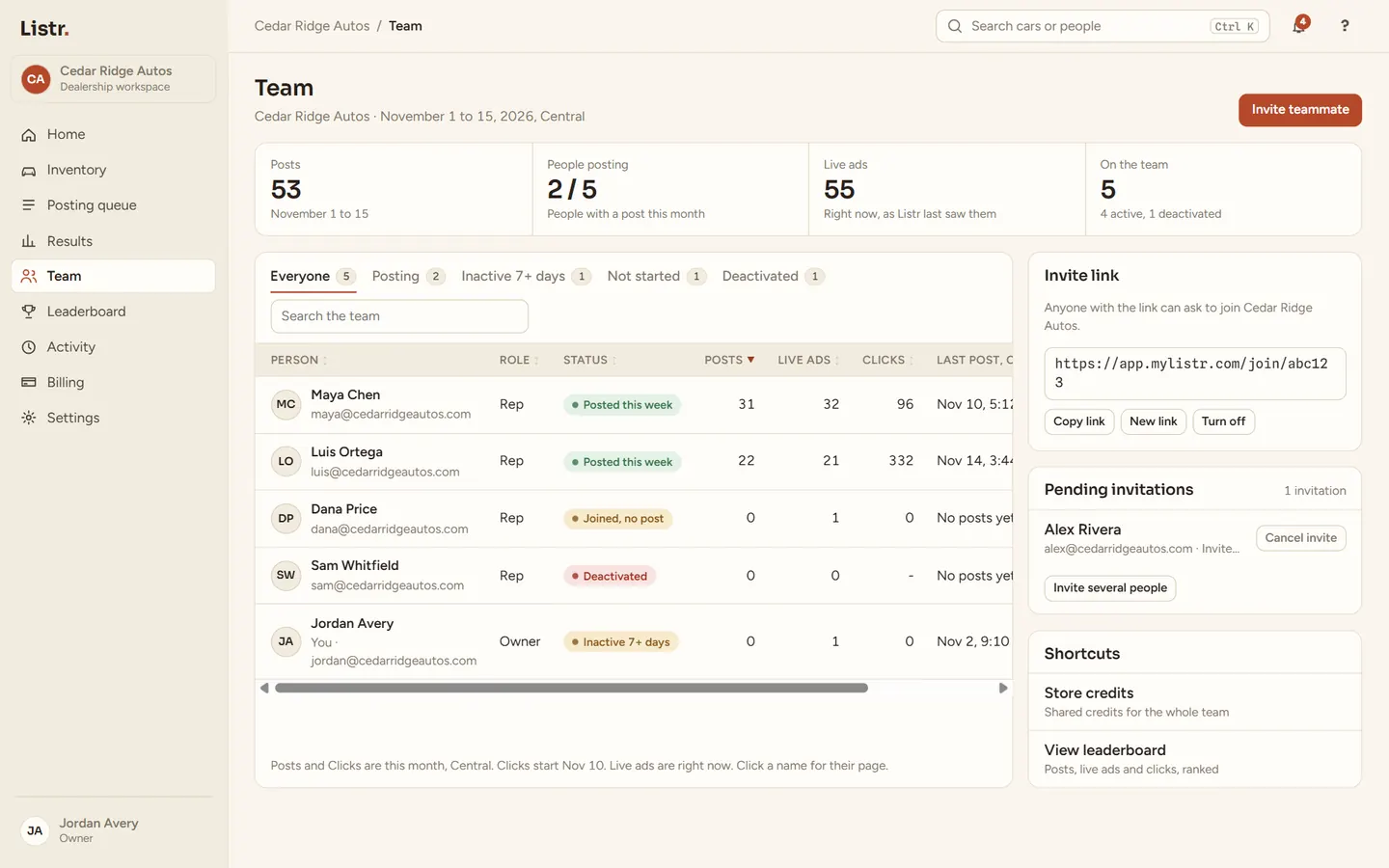
See who's working Marketplace, and who needs a push.
A monthly leaderboard the whole floor can see. Top posters get recognized, and you can spot who never got started.
- Posts, live ads and clicks for each rep
- Who was invited but hasn't started
- Turn the rep-facing board on or off for your store
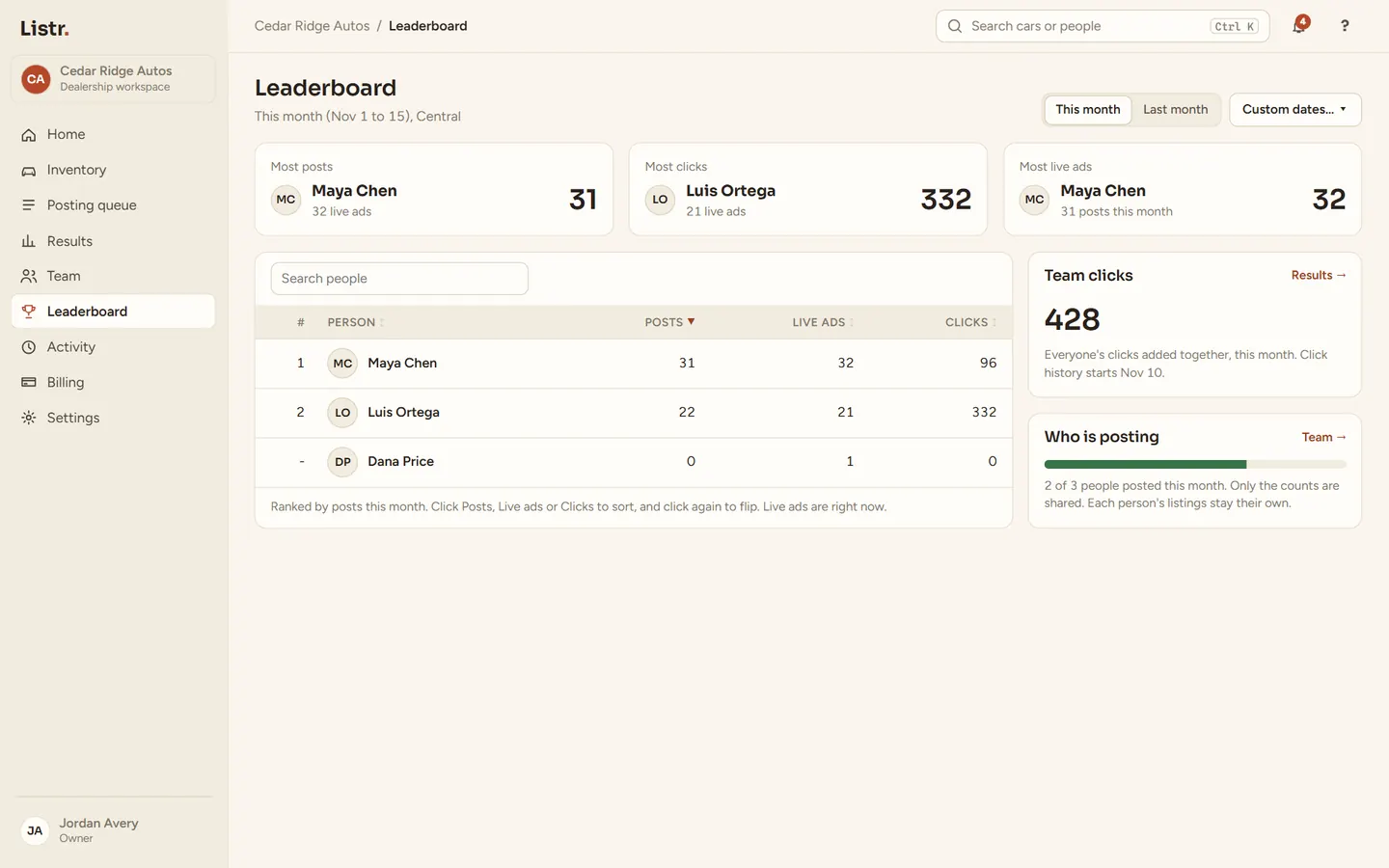
Set the store's rules once.
Owners decide whether Auto-post is on for the store and invite reps with one link. If the store buys Store credits, the whole floor shares that balance once a rep's own monthly credits run out.
- Owner, admin and rep roles
- Reps see the store's rules in their panel
- With Store credits, one shared balance, so no rep reaches for a personal card
Set it up once. The floor runs on it.
How does a whole store get set up?
Tap Get started
Choose I run a dealership, pick your plan and leave your number. A Listr rep reaches out shortly.
Listr sets your store up with you
We add your website and your people, and post a first car together.
Send one join link to your floor
Each rep joins from the link and adds Listr to their own Chrome. No passwords to hand out.
Works with the website your store already has. No inventory feed, export or spreadsheet.
Will Listr get my reps' Facebook accounts flagged?
Listr keeps the risk low for every rep on your floor.
Not a single Listr user has been banned or had Facebook issues during our beta.
No tool can promise what Facebook will do. These protections keep the risk low, and they come with every plan. No Facebook API, no shared logins.
How much does Listr cost for a store?
One price for your floor, billed to the store.
Dealership
Your whole sales floor, with the store dashboard.
Each extra person $79 a month.Each extra person $790 a year.
- Everything in Solo, for every person
- Store dashboard, Team page and leaderboard
- One join link for the floor, one bill for the store
- 500 AI credits a month per person, plus Store credits to share
- Listr sets your store up with you
A Listr rep reaches out and sets your store up with you.
Owner and manager questions
Do reps have to give the store their Facebook login?
No. Each rep posts from their own Facebook in their own Chrome. Listr never asks for a Facebook password, and the store never holds anyone's login.
Can I see every rep's ads?
Yes. Owners and admins see the whole store: every rep's posts, live ads and clicks, and the cars nobody has posted. Reps see their own work.
Can I see which cars haven't been posted yet?
Yes. The store dashboard lists unposted cars, the oldest cars on your lot and who has posted them, so you can follow up with the right rep from your phone.
Can I turn Auto-post off for the store?
Yes. Owners can turn Auto-post on or off for the whole store from the Team page. Reps see the store's rule in their side panel.
Who gets billed?
The store. The Dealership plan is one bill, billing emails go to the store's owner, and owners and admins manage the plan. Reps are covered by it.
What happens to an ad when a car sells?
When the car leaves your website, Listr shows it as Sold and takes it out of every queue. With Auto-remove on, the rep's ad is marked sold on Facebook automatically.
Will I have IT support?
Yes. A real person helps you by phone and email to get you back on track and support your team. We're also open to your ideas for features that help your store succeed.
How does setup work?
Tap Get started and choose I run a dealership. A Listr rep reaches out and sets your store up with you: we add your website and your people, post a first car together, then you send one join link to your floor.