
Marketplace is where a lot of buyers look first, and it costs nothing to be there. The hard part was never the platform. It's that every car has to be entered one at a time.
You can post any car to Marketplace by hand in about ten minutes: get the photos onto your device, open Marketplace and choose Vehicle, then fill in year, make, model, mileage, price, body style, transmission, fuel type and a description.
That works fine for one car. It stops working around car number six, which is why most reps post their two or three favourites and leave the rest of the lot off Marketplace entirely. This guide covers both ways — by hand, and with the whole thing filled in for you.
No tool needed. This is the real process, start to finish.
Either shoot the car on your phone, or save the photo set off your dealership's website listing. If you're posting from a computer, the website set is usually faster and already clean.
On Facebook, go to Marketplace, then Create new listing, then Vehicle. Picking Vehicle rather than Item matters: it gives you the fields buyers actually filter on, and it puts the car in the vehicle search results.
Year, make, model, mileage, price, body style, exterior and interior colour, transmission, fuel type, condition. The optional ones are what buyers narrow by, so a listing that skips them quietly disappears from a lot of searches.
Trim, drivetrain, what's actually on the car, and anything a buyer would otherwise message you to ask. Put your dealership's name in it — plenty of Marketplace shoppers are wary of private sellers and will take a dealer over one.
Once it's live, use Share, then Share to a group, on local buy-and-sell and car groups. This is where a lot of the extra views come from, and it's the step people skip when they're tired.
Renew listings so they don't go stale, update the price when it changes, and take the listing down the day the car sells. A Marketplace full of cars you can't sell any more is how you end up with angry messages instead of leads.
Time yourself on the next one. Most reps land somewhere north of ten minutes a car once the photos, the fields and the description are all done properly.
Run that across a lot of any real size and you're looking at days of work — and it isn't work you do once. Prices move. Cars sell. Listings go stale and need renewing. The maintenance alone is a part-time job nobody is paying you for.
So the cars don't get posted. Reps put up the two they like, or the two the manager asked about, and the rest sit on the website where only people already shopping your store will see them. That's the real cost, and it isn't the ten minutes — it's every buyer who never saw the car.
Same listing, same Marketplace, same Facebook account — the typing is just already done when you get there.
You type your web address once. Listr reads your inventory the same way a shopper's browser does — new and used, every page — and each car comes in with its photos, specs and stock number attached. No feed to request, nothing for your IT company to set up.
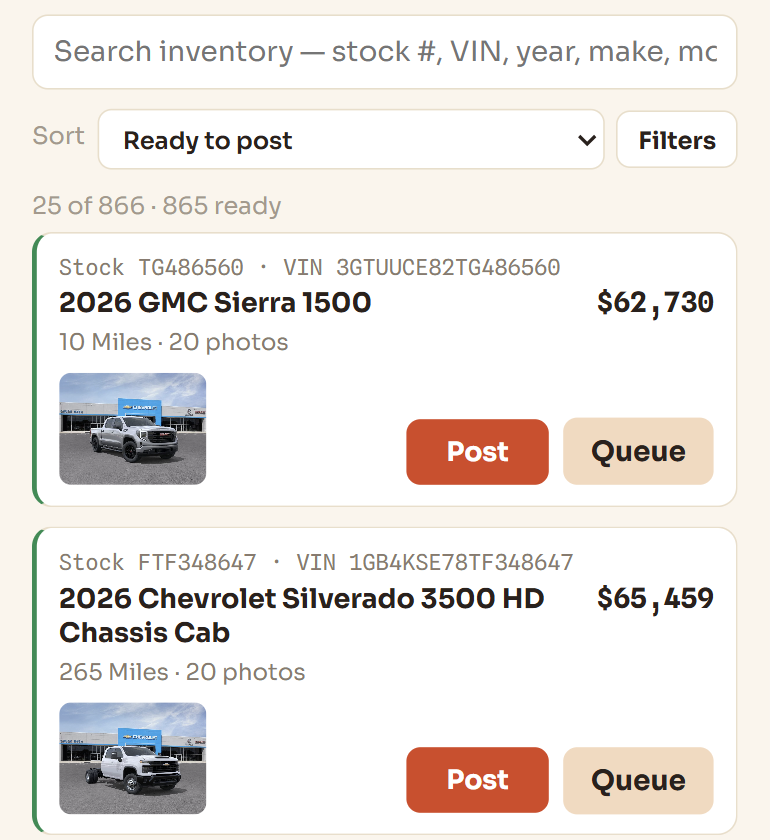
Marketplace opens with the vehicle form already filled: year, make, model, mileage, price, body style, transmission, fuel type, and a description written for that specific car. Up to 20 photos come across with it — the hero shots kept, the rest sampled so the interiors still make the cut.
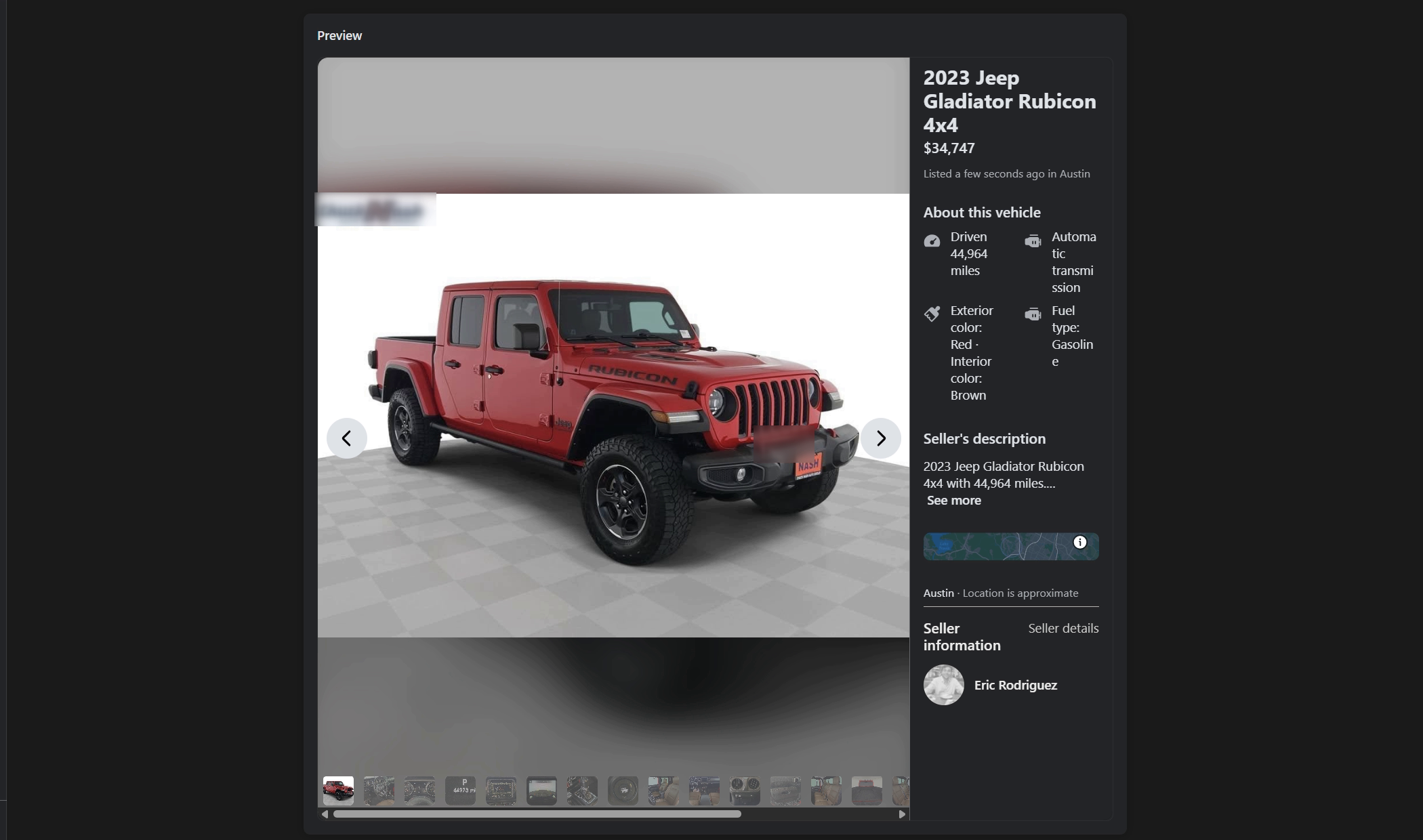
You see the listing before it goes anywhere, so nothing publishes that you haven't looked at. With Auto-publish on, it's about 35 seconds from clicking Post to a live listing. Post one and stop, or keep going — nothing counts your cars.
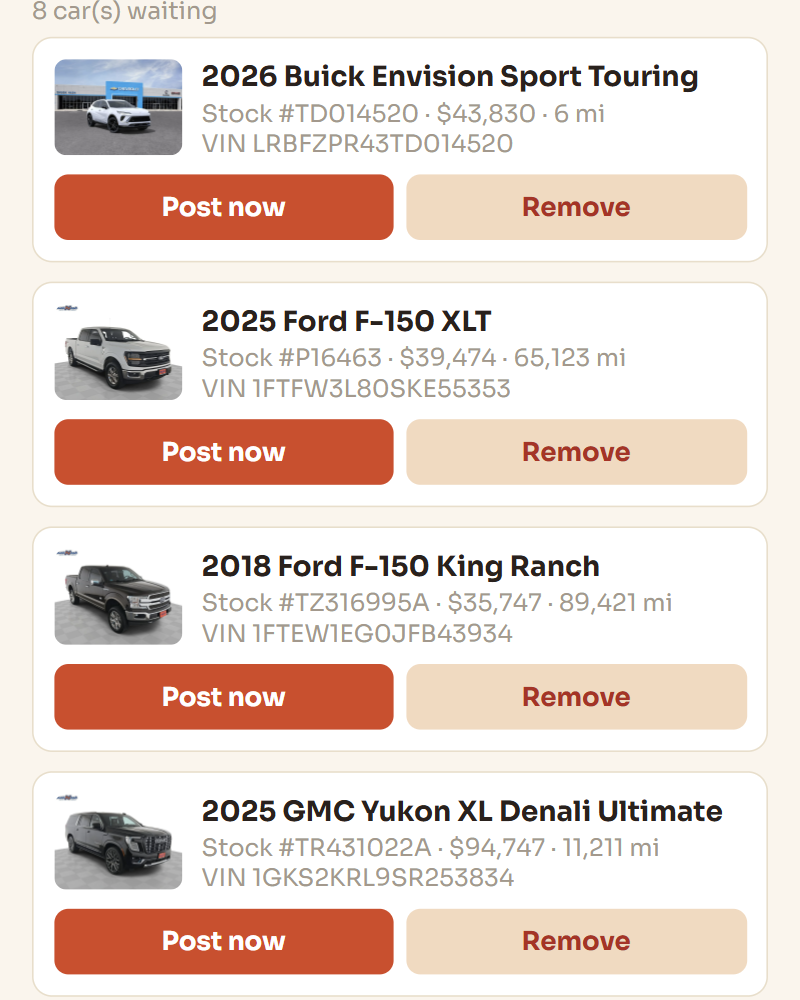
Your inventory re-checks itself daily. New arrivals show up ready to post, and when a car sells, its listing comes down on its own. You can also line cars up in a queue and let the hands-off mode work through them while you're with a customer — it paces itself so it behaves like a person rather than a machine.
This part matters more than any of it. Your account is your book of business.
Not a second profile made for listings. Fake and duplicate accounts are the fastest way to lose everything, and a brand new account posting cars all day looks exactly like what Facebook is built to catch.
Duplicate listings get flagged as spam. If a car needs a refresh, renew the listing you already have instead of creating a second one.
If you start seeing checkpoints, warnings, or listings getting pulled, stop posting for the day. Pushing through a warning is what turns a temporary flag into a permanent one.
It keeps your listings trustworthy, it stops the "is this still available" messages for cars that aren't, and Marketplace treats an account with current listings better than one full of dead ones.
Listr is built around the same rules: it runs in your own logged-in Chrome, it never touches a Facebook API or a bot account, and it has safeguards that back off the moment Facebook pushes back.
Type your dealership's web address and you'll know inside ten minutes whether it reads your site properly. No demo call, no card.